|
<< Click to Display Table of Contents >> Restructure fields, Basic method |
  
|
|
<< Click to Display Table of Contents >> Restructure fields, Basic method |
|
Data fields may have a number of associated properties either built into the data table proper, in separate linked property files or taken specified by the specific database management application used with the data.
The most common are the validity checks for Required fields (may not be left empty in otherwise populated records), Minimum and Maximum allowed input values as well as Default value pre-filling the field with some predefined but user replaceable value.
dBASE III-IV and 5 do not incorporate this feature in the table format leaving this task to the database management system.
In dBASE 7 these basic validity checks are incorporated into the data table proper (the *.dbf file) and will thus follow the table file where ever used.
In Paradox validity checks have been along (at least) since version 3.5 being incorporated via distinct associated files bearing the file name identical to the table file but with the *.val file extension. Thus, with Paradox tables validity checks are lost (or may be deliberately removed) if the *.val file is deleted (or removed), unless taken care of by the program code in the database application.
Further, tables may be applied referential integrity checks implemented in various ways.
However, validity checks are beyond the intended scope of the PdxEditor and PdxEditor does not supply editing of these settings.
If you need overriding integrity checks, for Paradox files you may simply delete the *.val files associated with the table files of concern, but do not temporarily remove the *.val file intending to reintroduce the associated *.val file, as the system may prevent data editing saying the re emerging *.val file has become out of synchronization.
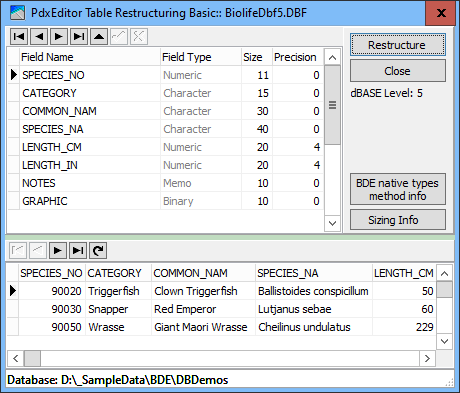
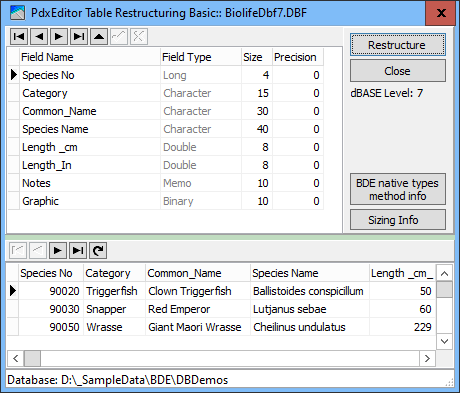
Basic field properties as field name, field size and for float numerical fields also the number of decimals, are easily altered in PdxEditor.
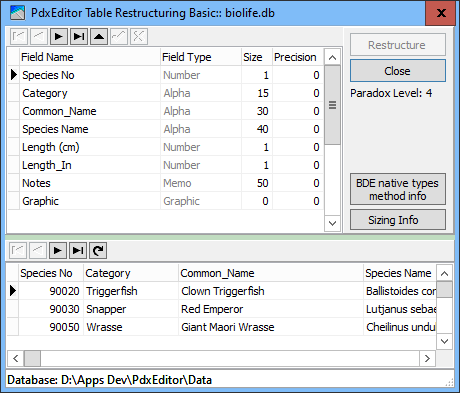
DBDemos Biolife as a Paradox table
|
|
|
With dBASE tables sizing, numerical fields are only pertinent to the traditional numeric fields NUMERIC and FLOAT as these by nature (and historically) basically are stored as text allocating number of characters for the intended needed number of digits, decimal point and minus sign.
In Paradox the space for numerical fields Number (= floating point numbers), Short (= 16-bit Small Integer) and Integer (= 32-bit Long Integer) are allocated automatically by the numeric type.
In Paradox only the speciality BCD field is sized, but only for number of decimals, as the total space automatically defaults to 32.
As for any sizeable numerical field the number of decimals may be set to zero, the fields thus practically working as integer value fields.
With dBASE 7 the numerical fields Double (= floating point numbers) and Long (= 32-bit Long Integer) mapping to 8 and 4 bytes respectively and cannot be resized by the user.
Special care has to be taken sizing or resizing the traditional dBASE NUMERIC and FLOAT field formats due to the basic storing as text.
Please confer dBASE table format.