|
<< Click to Display Table of Contents >> Reordering column views |
  
|
|
<< Click to Display Table of Contents >> Reordering column views |
|
Besides reordering columns display as by column selection by SQL, columns in any view may be reordered ad hoc by dragging the column headers, affecting only the displayed DBGrid view and not the dataset behind the scene.
Original table view
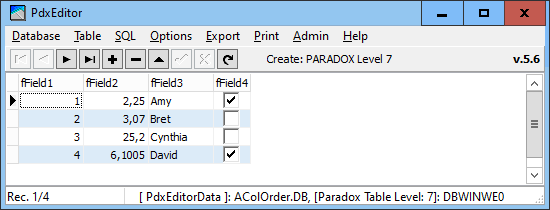
Picking a column header by the mouse
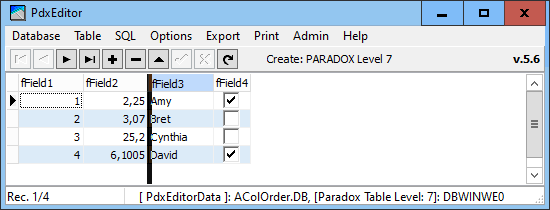
... and dragged to a new position

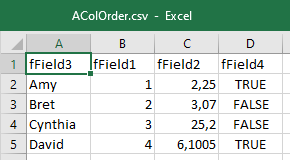
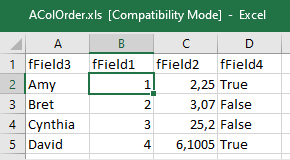
This repositioned column order will also be reflected in export from the current DBGrid view as to delimited CSV text (*.csv), here viewed in MS Excel and in it's associated specifying schema file (*.sch)
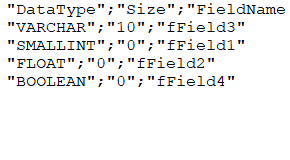
as well as in export to the MS Excel file format (*.xls)
To rearrange the column order in the stored table, you will have to run an SQL query with the specified column order and then export the queried table as a new table. As indexes are discarded by this process, you will have to reapply indexes as necessary.
You may analyse the existing table by running a Create SQL CREATE to display the source structure.