|
<< Click to Display Table of Contents >> BDE System settings |
  
|
|
<< Click to Display Table of Contents >> BDE System settings |
|
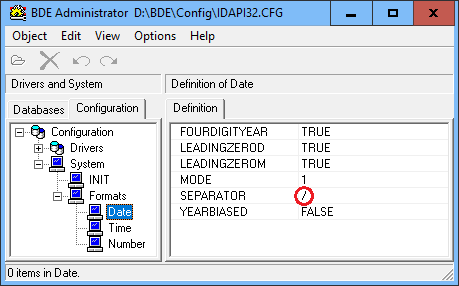
The MODE setting for dates is about the DMY sequence used:
Mode 0: MDY
Mode 1: DMY
Mode 2: YMD
As a default, the BDE follows the current Windows System setting, when INSERTing dates into a table.
However SQL date calculations are strictly dependent on matching the BDE Date Mode and Date Separator setting as e.g. in the way of calculating week numbers:
CAST((DateField - (
CAST('1/1/' + CAST(EXTRACT(YEAR FROM DateField) AS CHAR(4)) AS DATE)-1
) +6 +iJan1stFromMondayWeek1)AS INTEGER)/7
AS WeekNr
See also Day of Year and Week Number calculations
__________________________