|
<< Click to Display Table of Contents >> AutoInc in ClientDataSet imports |
  
|
|
<< Click to Display Table of Contents >> AutoInc in ClientDataSet imports |
|
Importing CDS files is based on creating the table structure mirroring the CDS source table, followed by progressive population of this table from the data of the CDS source table.
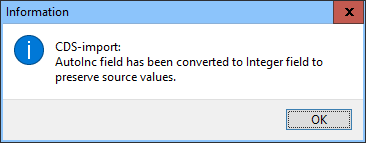
As Paradox disallows inserting specific values into AutoInc fields - whatever by manual typing or via INSERT INTO TargetTable VALUES (value list) - importing CDS-files having AutoInc fields, these fields when imported will be converted into Integer fields to preserve the original autoincremented values.
In case of this conversion, this will be informed as:
If you need to re-specify an imported field from a CDS file into Paradox Autoinc field, this may be done as below, but will re-initiate the values of the Autoinc field.
So, if keeping the counter values imported is desired, you may disregard the following procedure, if the counter field of the very last record does not have the same value as total records count.
If re-initialization is accepted, do as follows:
Copy the SQL specification of the imported file and paste it into the SQL editor, for example:
CREATE TABLE ImportedTable (
Idx INTEGER
,FirstName VARCHAR(15)
,LastName VARCHAR(15)
);
and re-specify it as e.g.:
CREATE TABLE ImportedTableCopy (
Idx AUTOINC
,FirstName VARCHAR(15)
,LastName VARCHAR(15)
);
and then after creation you will populate the copy with the imported data as:
INSERT INTO ImportedTableCopy
SELECT * FROM ImportedTable;
Last you may delete the ImportedTable
and rename ImportedTableCopy to ImportedTable.
